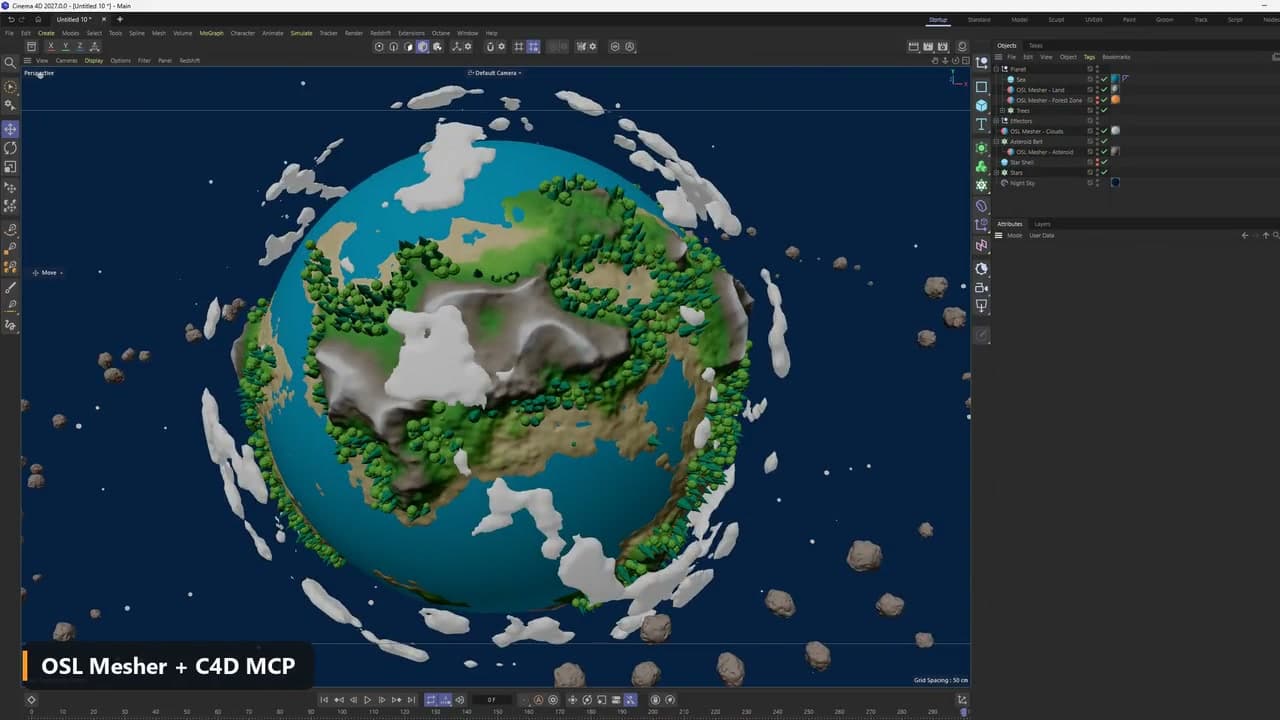
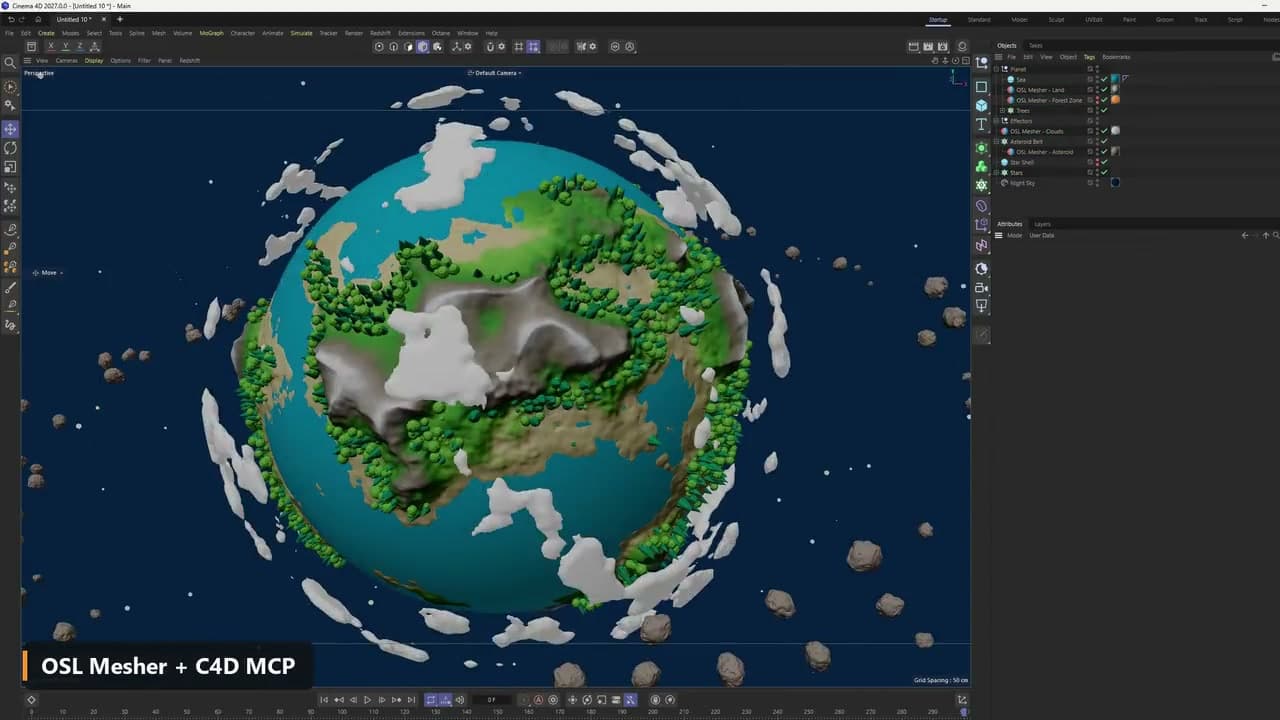
Example: a tiny planet
The land, a forest zone, the clouds and an asteroid each come from a shader the assistant wrote. The forest zone is a mesh, so a cloner can place the trees on it, and another cloner copies the asteroid into a belt.
Converts SDF shaders, OSL primitives and Octane Vectrons into meshes
Overview
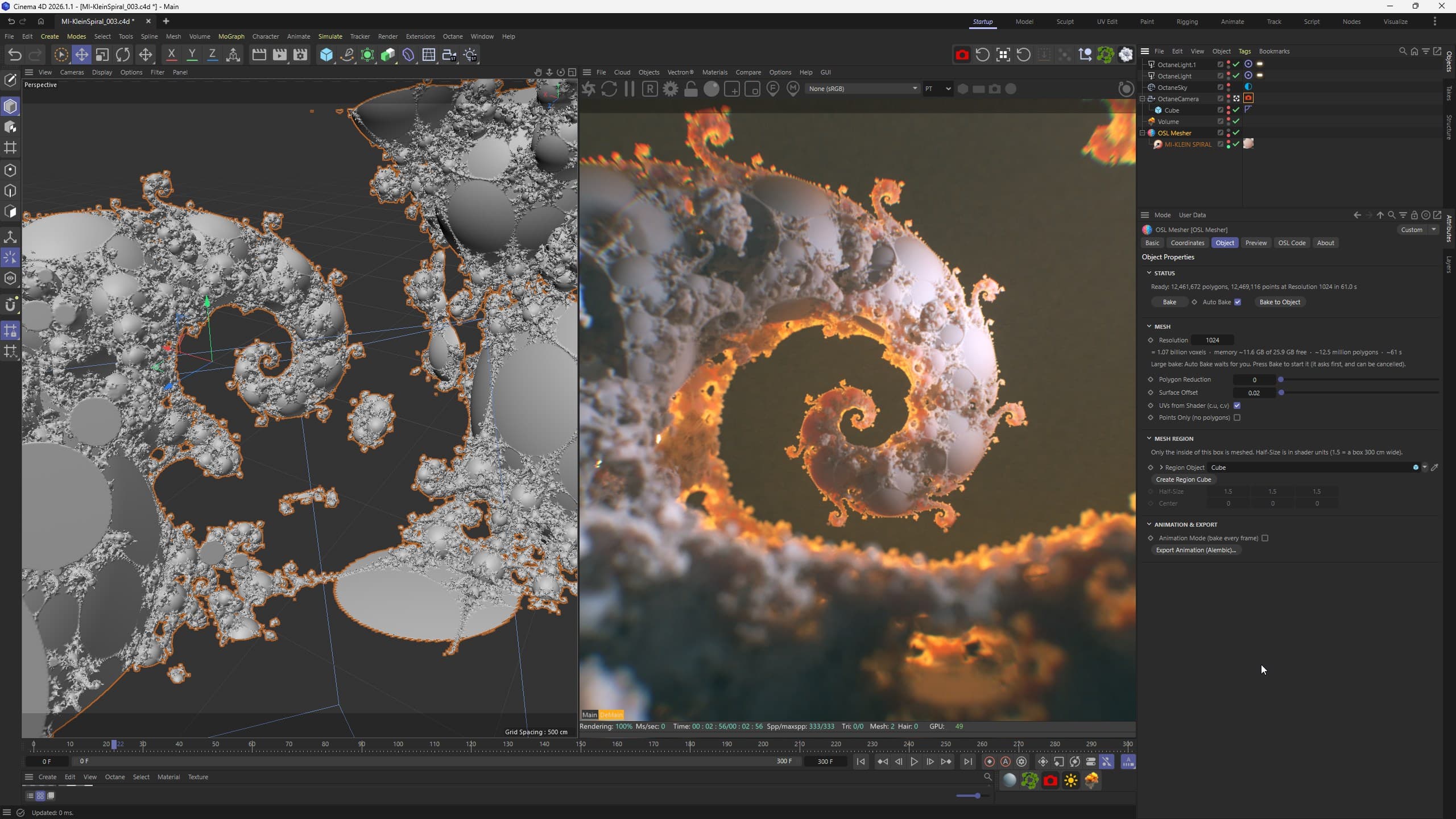
OSL Mesher converts SDF shaders into optimized polygon meshes inside Cinema 4D. The shader can be your own OSL code, an OSL primitive, an Octane Vectron or any other OSL shader that returns a signed distance. Its parameters become sliders, and the mesher bakes the result into clean geometry.
SDF shaders and Vectrons are drawn at render time and leave no geometry in the scene. OSL Mesher gives them a real mesh that works with every renderer, deformer, simulation and export. OSL is built into the plugin, so your own shaders need nothing else. Octane is needed only to mesh an Octane Vectron, and the renders on this page are made with Octane.
Uses
Once a shader is a mesh, Cinema 4D's tools and any other 3D app can use it.
OSL Mesher + C4D MCP
Cinema 4D 2027 has Maxon's MCP Server built in (since 2026.4). Switch it on and an AI assistant, such as Claude Desktop or ChatGPT Desktop, can work in your scene. Because OSL Mesher runs on shader code, the assistant can write the SDF shader, set its sliders and bake the mesh while you describe what you want.
The two scenes below are only examples. We asked an AI assistant to build them in Cinema 4D through the MCP Server, starting from an empty scene. It wrote every shader itself and turned each one into a mesh with OSL Mesher. You can build any other scene with OSL Mesher, with an assistant or by writing the shaders yourself.
The land, a forest zone, the clouds and an asteroid each come from a shader the assistant wrote. The forest zone is a mesh, so a cloner can place the trees on it, and another cloner copies the asteroid into a belt.
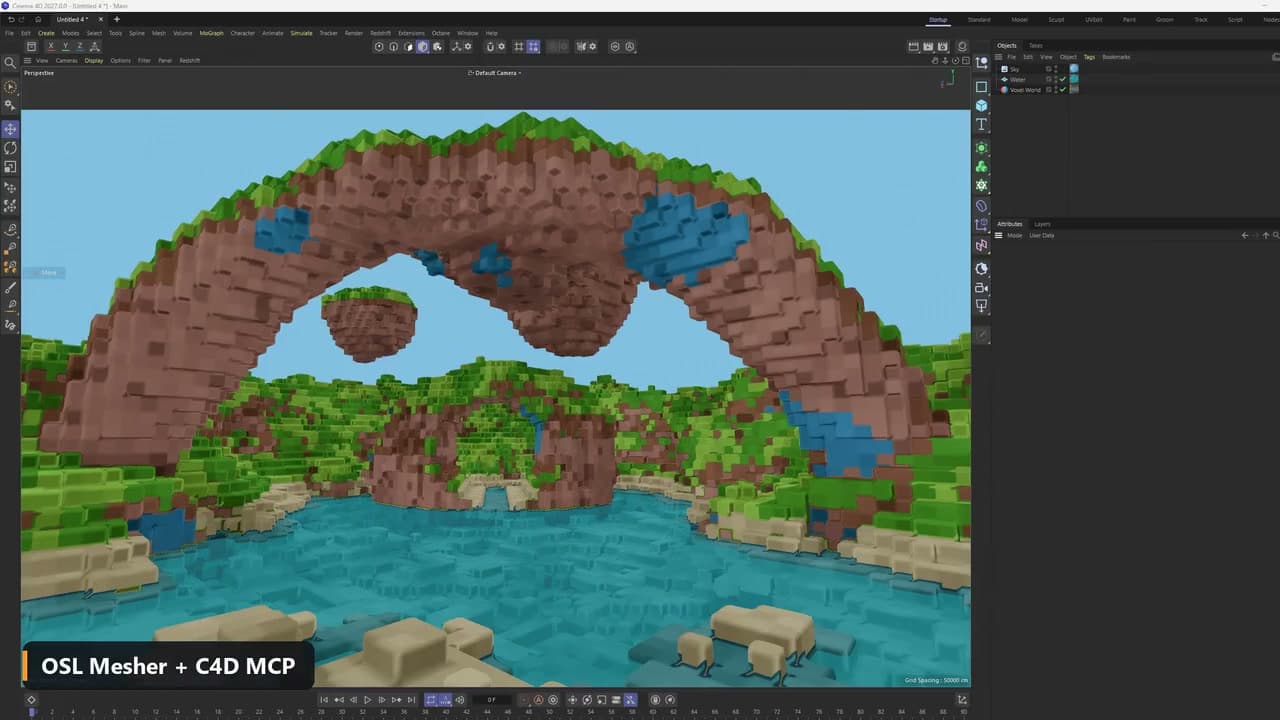
The whole world is one shader written by the assistant. Its sliders set the block size, water level, cliff height, overhangs, floating islands and a giant arch.
Octane Vectron
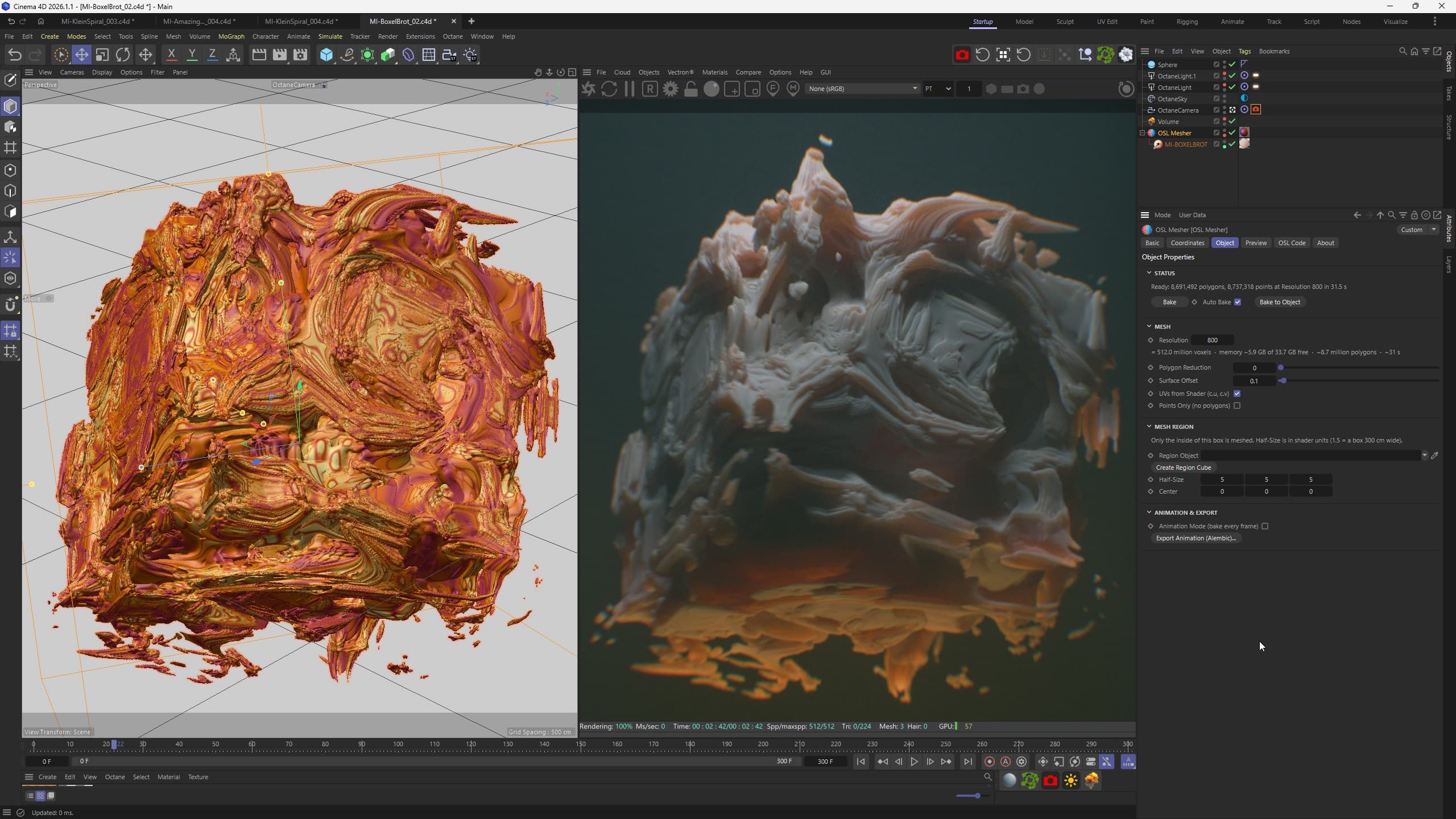
Put an Octane Vectron under the mesher and it is meshed exactly where it sits, with its position, rotation and scale. The fractals of our Vectron packs become real polygons for Octane and other renderers, for physics, simulations and export.
Workflow
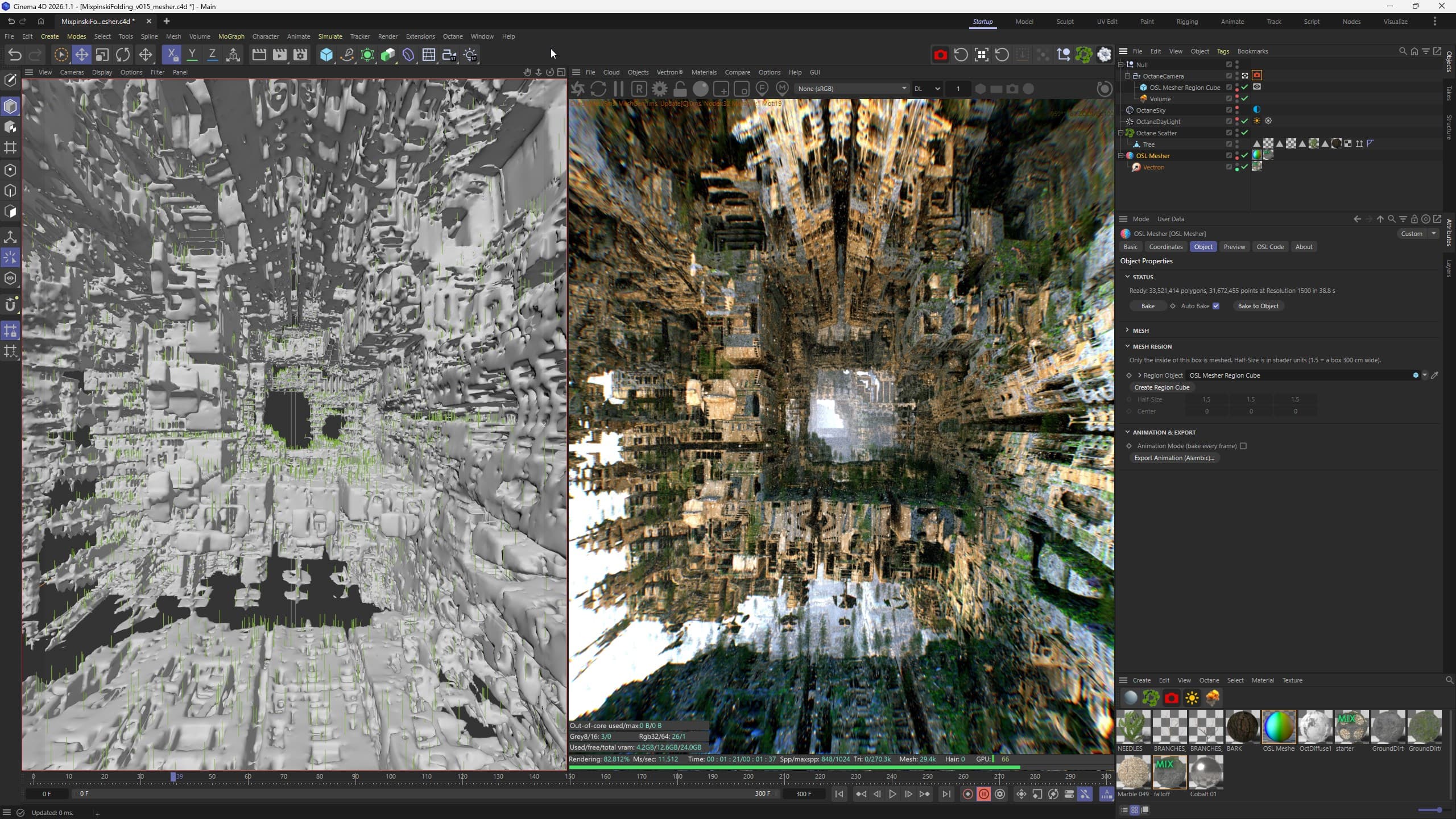
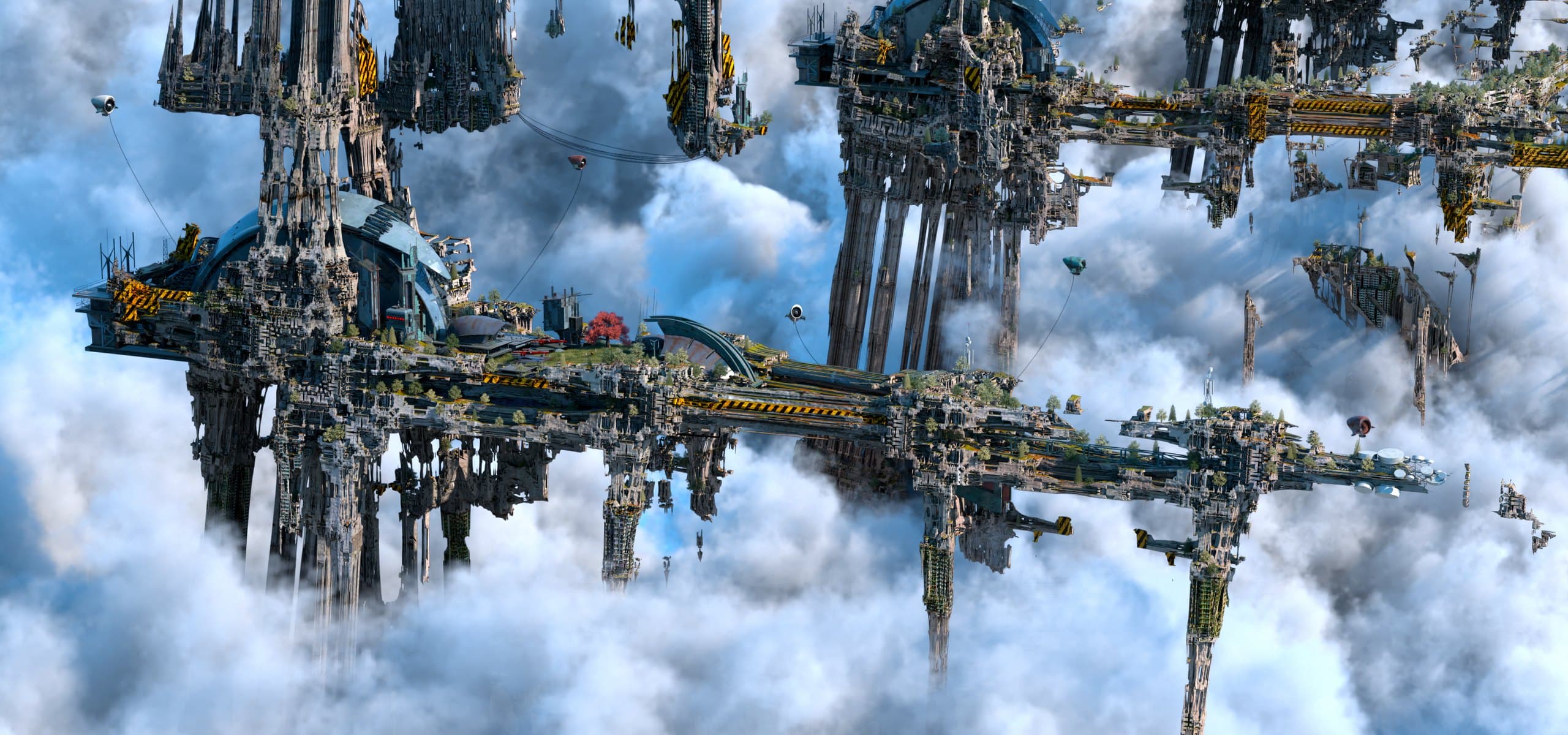
The Vectron fractal is meshed at resolution 1500 (33.5 million polygons), and Octane Scatter places a forest on it.
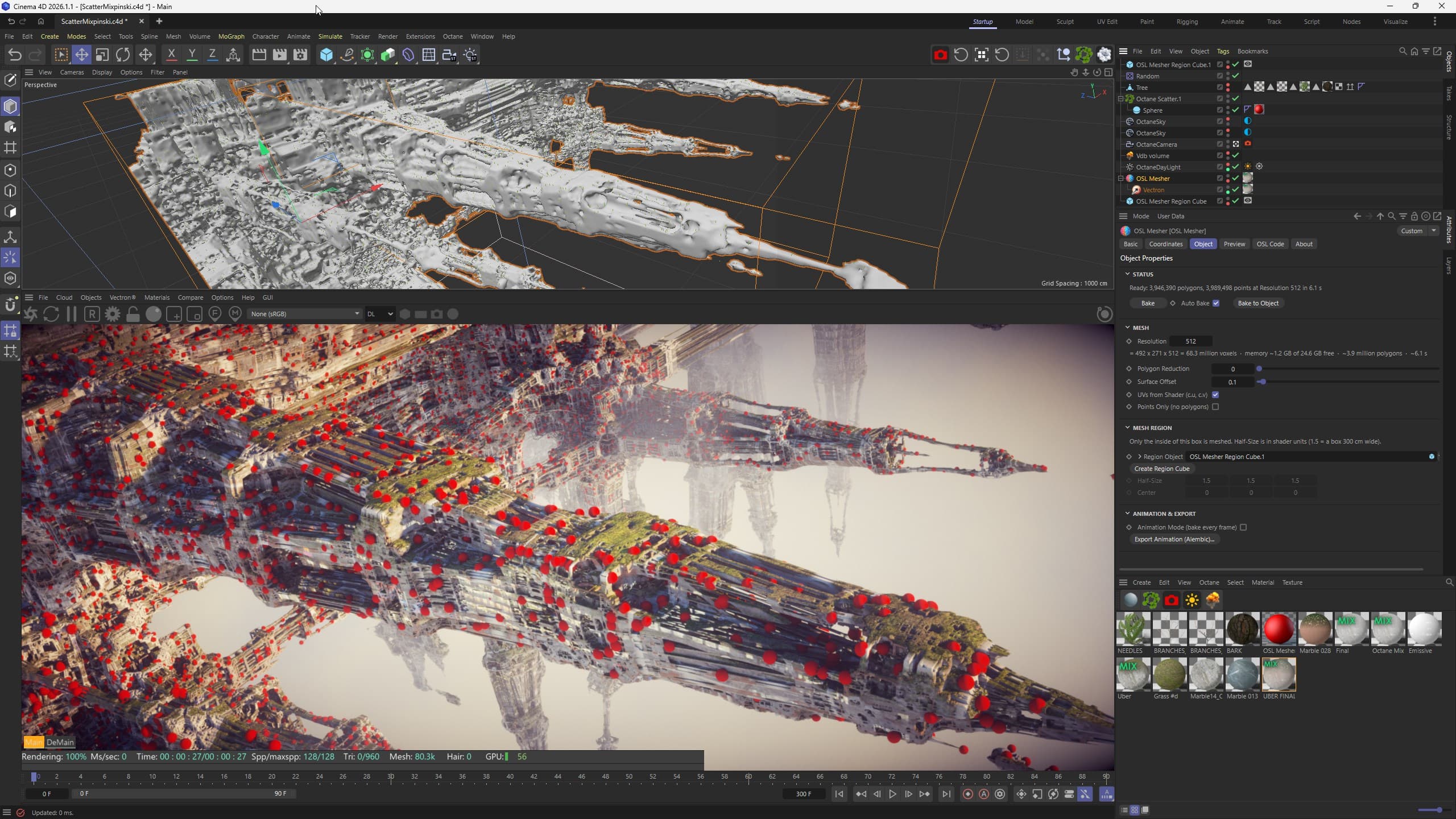
Here only the part inside a region cube is meshed. At resolution 512 that is 3.9 million polygons, baked in about six seconds, and Octane Scatter places red spheres on it.
Our projects · 2021
An Octane Vectron is drawn at render time, so on its own it gives Octane Scatter, cloners and simulations nothing to work on. For these environments we made a light mesh of each fractal. We used it as a guide in the viewport and scattered the trees and buildings on it, while the Vectron rendered the fractal at full detail. OSL Mesher does this step inside Cinema 4D. You put the Vectron under the mesher and bake a light mesh.
Below are the three steps for Sierpiński Utopia. Ancient Fractal City and Fractal Pyramids were made the same way.
OSL code
Write OSL code in Cinema 4D or load a .osl file. Fractals, terrains, lattices, gyroids and hard-surface models built from booleans, blends and repeats all work, as long as the shader returns a signed distance. A new mesher starts with a Mandelbulb.
Shading
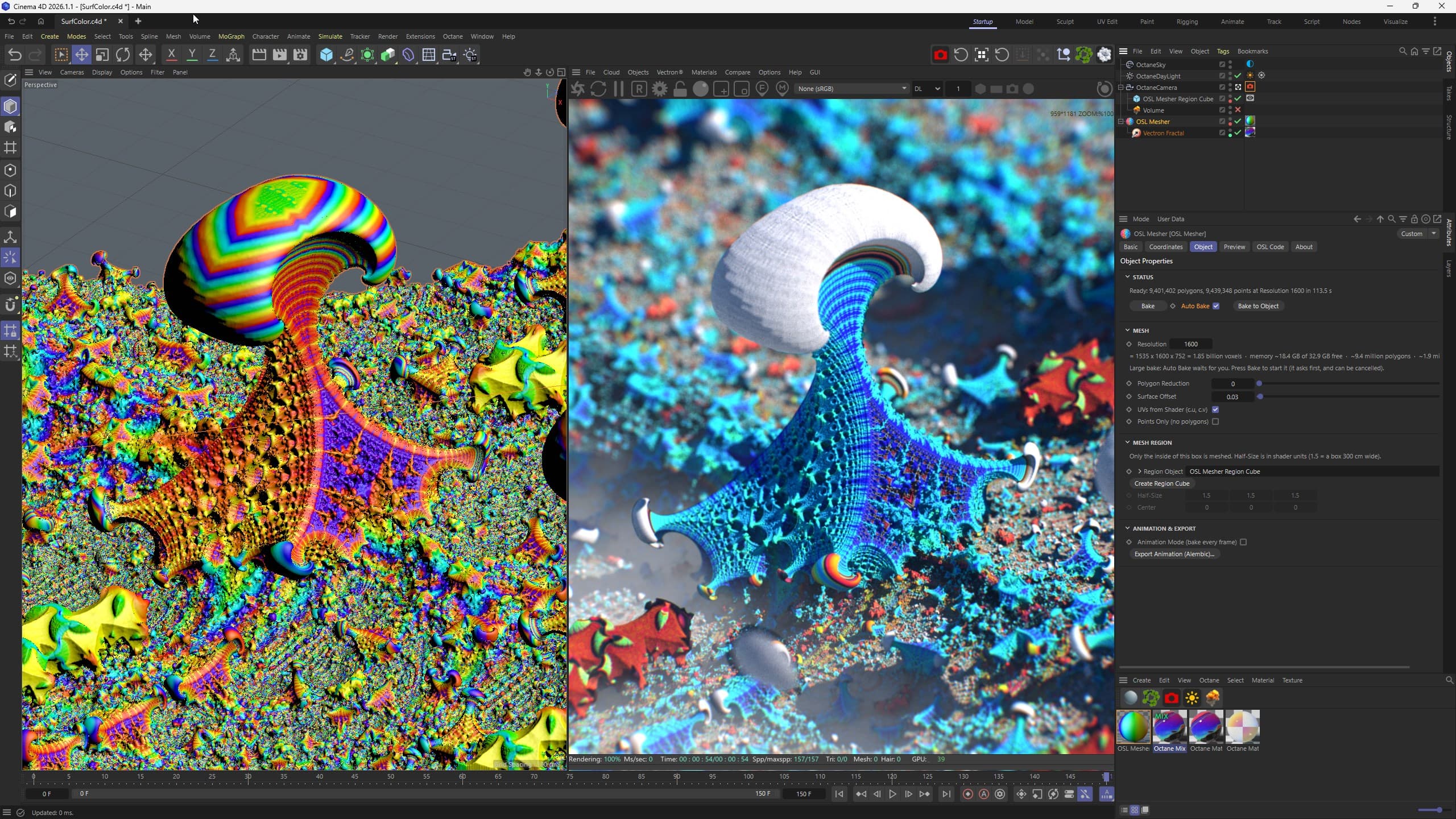
The shader can write its own UV values, for example orbit traps on a fractal or altitude and slope on a terrain. A single gradient or palette image then colours the whole surface.
Features
Resolution uses cubic voxels, so detail is even in every direction, whatever the proportions of the box. Before baking you see the voxel count, the memory needed against the memory free, and the expected polygons and time. Large bakes ask before starting, and a bake that can't fit in memory is refused with a suggested resolution, so Cinema 4D stays stable.
A fast raymarched preview is drawn straight from the shader, on the GPU (OpenGL 3.3) or the CPU, with its own region, detail and ray steps. Renders and exports always use the real mesh.
Requirements
Copy the folder for your Cinema 4D version into a Cinema 4D plugins folder, restart Cinema 4D and open OSL Mesher from Extensions > Machina Infinitum. Questions? Write to us.
Octane and Vectron are trademarks of OTOY Inc. Cinema 4D is a trademark of Maxon Computer GmbH. OSL Mesher is an independent product and is not affiliated with or endorsed by OTOY or Maxon. It uses Open Shading Language and other open-source libraries, whose licences are in THIRD_PARTY_LICENSES.txt next to the plugin.
Cinema 4D · Plugin
For artists who work with SDF shaders or Octane Vectron and need real geometry to scatter on, simulate, export, 3D print or sell.
Machina Infinitum is a studio of developers and artists. We build 3D tools and plugins for Unreal Engine 5, Octane Render, Cinema 4D and Blender, and use them to create music videos, films and VJ loops.
Keep exploring
 Gumroad
Cinema 4D
Animate anything to music
up to 8 probes per song · WAV, MP3 and FLAC
 Gumroad
Cinema 4D
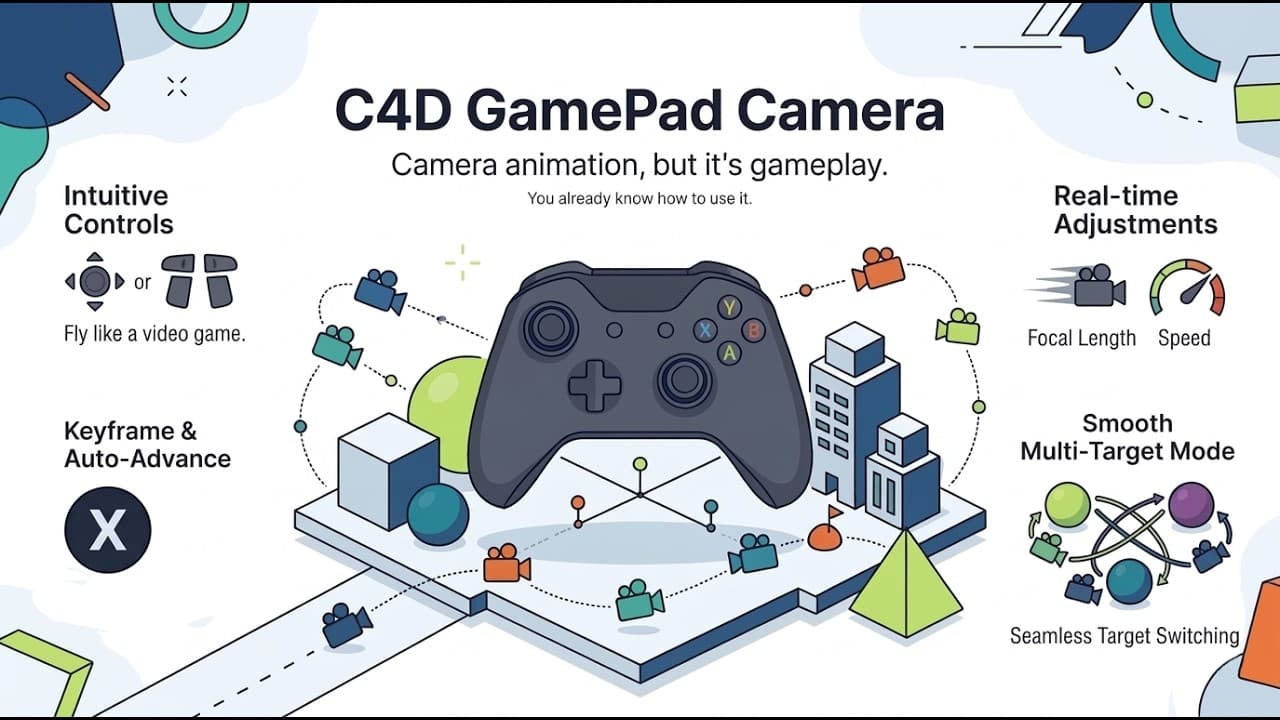
Fly your camera with a gamepad
stick navigation · records keyframes
 Gumroad
Octane · Cinema 4D
Presets + 2 h of tutorials
50 presets · 5 + 3 formulas · 2 h tutorialsNeeds Octane Render
Statistics cookies
May we use Google Analytics to count visits and see which pages help people find our tools? Its cookies are set only if you accept, and nothing is used for advertising. Privacy policy